Real users. Real metrics. Real causes.
Pulsecadence instruments your frontend with a < 100-line async snippet and streams Core Web Vitals, custom timing marks, and third-party script attribution in real time.
Start freeUp and running in under 5 minutes
Drop the snippet
One async script tag. 3KB gzip. Completely non-blocking. Works with any framework — React, Vue, Svelte, vanilla JS, server-rendered HTML.
Data streams in
LCP, INP, CLS, TTFB, custom timing marks, and per-session context start flowing immediately. No sampling. Every session, every metric, every segment.
Segment + alert
Slice by device, connection type, geography, or script owner. Set p75 regression alerts that fire when a deploy breaks your real users — not your synthetic monitor.
Every metric. Every percentile.
Pulsecadence tracks all Core Web Vitals plus TTFB and custom marks, with p50 / p75 / p95 breakdowns for each.
Largest Contentful Paint (LCP)
LCP measures how long until the largest visible element — typically your hero image or above-fold heading — has loaded. For most sites, this is the metric most tightly correlated with perceived load speed and bounce rate.
Why p75 matters more than the mean: the mean smooths over your worst sessions. p75 means one in four page loads is at or above this number — and those are disproportionately your highest-intent mobile visitors on slower connections.
- p50 / p75 / p95 breakdown by page, device class, and connection type
- Attribution to specific render-blocking resources contributing to LCP delay
- Trend over 24h, 7d, and 30d with deploy annotations
Interaction to Next Paint (INP)
INP is the successor to FID and measures the latency of all interactions — clicks, taps, key presses — during the full session. A poor INP means your UI feels laggy or unresponsive even when the page loads fast.
Why p75: INP outliers are particularly damaging on mobile where JavaScript long tasks compete with input handling. The p75 captures the real experience of your typical slow-device user.
- INP segmented by interaction type (click, keyboard, touch)
- Worst INP session paths — find the specific user flow causing high INP
- Correlation with React/framework re-render timing via custom marks
Cumulative Layout Shift (CLS)
CLS measures how much the page layout unexpectedly shifts after initial load. Even moderate CLS scores create real conversion impact — a button that jumps 2cm as the user taps it is a missed conversion, not just a metric violation.
Session-level CLS: Pulsecadence captures the specific layout shift events per session, attributing them to ad slots, late-loading images, or injected content — not just the aggregate score.
- Per-session CLS event timeline with element attribution
- Segmented by page template, device, and content type
- Alert on CLS regressions above configurable thresholds
Time to First Byte (TTFB)
TTFB is a server-side and CDN signal — it captures how long until the first byte of the HTML response arrives at the browser. High TTFB shifts the entire loading cascade right, compounding LCP delays.
Geographic TTFB: TTFB often varies dramatically by user geography. Pulsecadence segments TTFB by region to surface CDN gaps — e.g. your US edge is fast but your Asia-Pacific traffic hits origin directly.
- TTFB by geography (city/region level) and ISP
- TTFB × LCP correlation — separate server latency from render latency
- Alert on TTFB regressions after infrastructure changes
Custom Timing Marks
Use performance.mark() calls to instrument specific milestones in your application — React hydration complete, data fetch resolved, modal rendered. Pulsecadence picks these up automatically alongside Web Vitals.
Framework integration: Wrap your component lifecycle hooks with timing marks and see p75 hydration time segmented by page route, device class, and JS bundle size.
- Any
performance.mark()call is automatically captured - Mark-to-mark delta timing (e.g.
data-fetch-starttodata-fetch-end) - Correlate custom marks with LCP to find which app phase drives slowdowns
Know exactly which third-party script is eating your render budget.
Tag managers, consent platforms, analytics suites, A/B testing tools — third-party scripts collectively add hundreds of milliseconds to your LCP on mobile. Pulsecadence names the offender, not just the category.
The waterfall attribution engine traces each script's blocking window, cross-references it against known third-party domains, and ranks offenders by median render delay and session impact.
| Script domain | Median delay | Sessions affected |
|---|---|---|
| tag.analyticsplatform.co | 890ms | 41% of sessions |
| cdn.widgetembed.net | 340ms | 28% of sessions |
| consent.privacyplatform.io | 210ms | 19% of sessions |
| static.fontservice.io | 80ms | 12% of sessions |
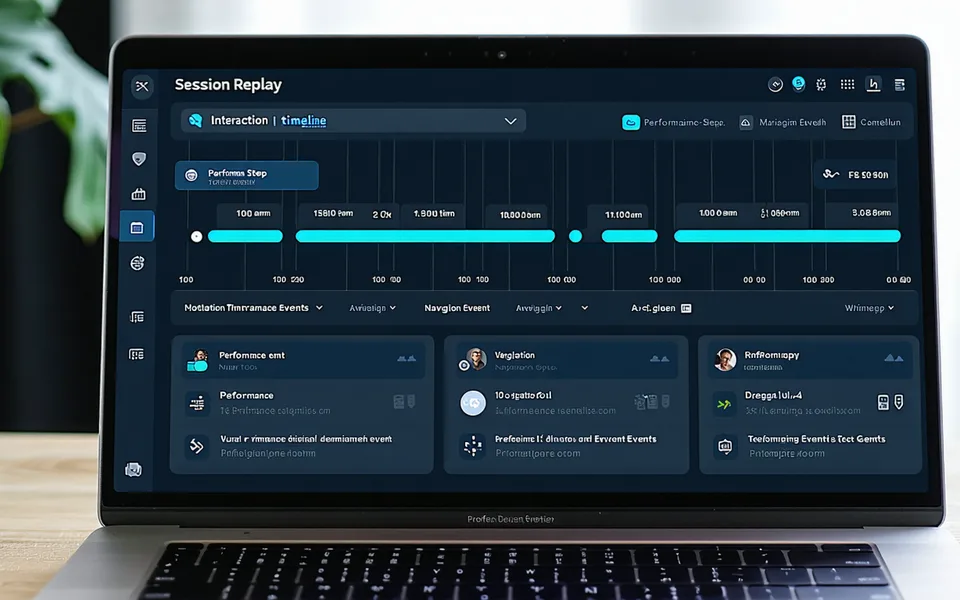
Follow the exact path that ended in a bounce.
Traditional session replay tools record full DOM state and everything your user typed. Pulsecadence takes a different approach: lightweight path-and-timing replay that shows you the navigation sequence, the LCP on each page, and where the user stopped — without capturing PII by default.
- No PII capture by default — session replay stores page URLs and timing, not form content
- Full session path — every page transition, every LCP, every INP event in sequence
- Filter to slow sessions — show me every session where p75 LCP on checkout exceeded 4s
Performance regression alerts that fire on real-user p75, not synthetic averages.
A deploy ships at 3pm. By 4pm your p75 LCP has climbed 800ms. Pulsecadence correlates the metric shift to the deploy timestamp and fires a Slack or PagerDuty alert within minutes — not after your synthetic monitor catches it on the next hourly poll.
- Deploy-correlated alerting — alerts annotated with the deploying team
- Slack and PagerDuty webhook integrations
- Configurable thresholds per page, segment, and metric
v2.14.0 — 14:08 UTC — @eng-deploy
A focused tool, not a platform
Pulsecadence does not replace your APM, your error tracking, or your infrastructure monitoring. It does not run synthetic checks on a schedule, and it does not record full DOM state. If you need distributed tracing, log aggregation, or uptime polling, those are separate jobs for separate tools.
What Pulsecadence does — narrowly and precisely — is measure Core Web Vitals at p75, segment them by real user context, attribute delays to specific scripts, and fire when a deploy makes them worse. That's the scope. Teams that need a wide observability platform will find it elsewhere; teams that need accurate field data on frontend performance will find it here.